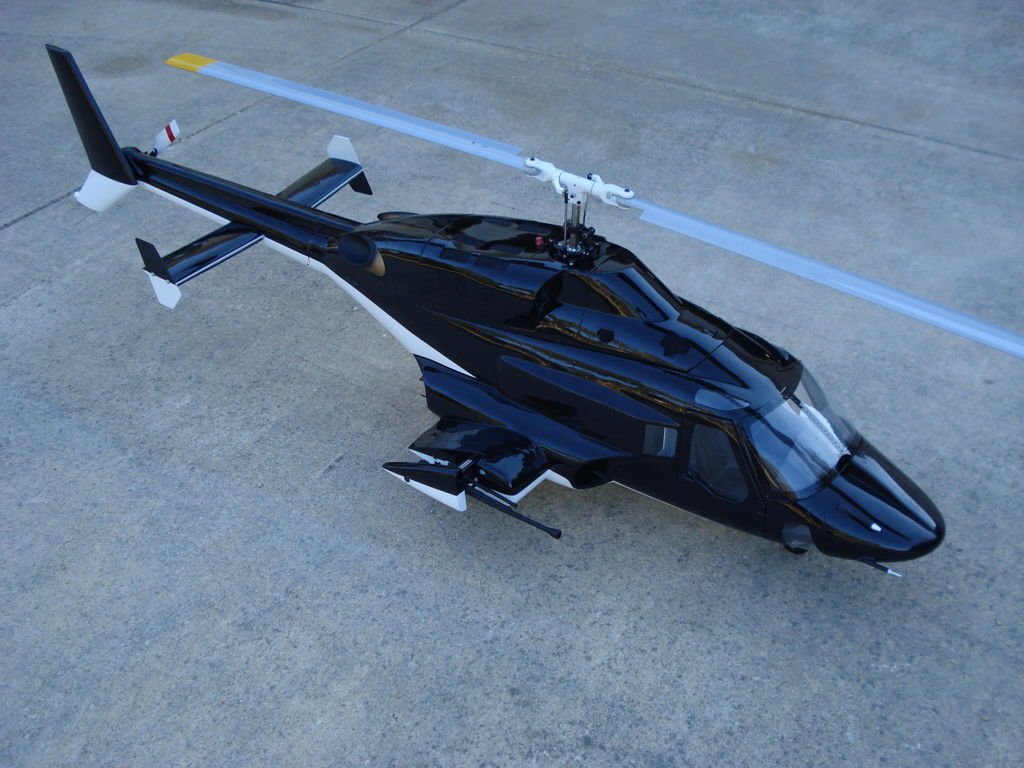

Stellen Sie sich vor, Sie schweben über Ihrem örtlichen Park und sehen die Landschaft aus der Vogelperspektive. Ein RC-Helikopter mit Kamera ermöglicht es Piloten, Luftaufnahmen in Echtzeit zu machen, während sie die volle manuelle Kontrolle behalten. Einige Piloten kaufen Modelle mit eingebauten Kameras. Andere bevorzugen es, ihre eigene Kamera an einem vorhandenen Helikopter anzubringen.
Dieser Leitfaden konzentriert sich auf die zweite Option und führt Sie durch die wesentlichen Schritte, um Ihren Standard-RC-Helikopter in einen dynamischen RC-Heli mit einer Kameravorrichtung zu verwandeln.
Was ist ein RC-Helikopter mit Kamera?
RC-Helikopter mit Kamera sind ferngesteuerte Fluggeräte, die eine eingebaute oder hinzugefügte Videokamera besitzen. Sie sendet Live-Bilder an Ihr Telefon, Ihre Brille oder Ihren Bildschirm. Dies schafft ein immersives FPV-Erlebnis.
Es gibt zwei Haupttypen:
- Eingebaute Modelle: Diese sind werkseitig ausgestattet, oft mit kleinen, leichten Kameras, die direkt in den Rumpf oder die Nase integriert sind. Die Kamera ist vom Hersteller voreingestellt, was die Bedienung für Anfänger erleichtert. Allerdings sind die Kameraqualität und die Upgrade-Möglichkeiten in der Regel begrenzt.
- Custom/DIY-Rigs: Diese Setups umfassen das Anbringen einer separaten Kamera an einem vorhandenen RC-Helikopter mithilfe von Halterungen, Gurten oder vibrationsdämpfenden Materialien. DIY-Rigs geben Piloten mehr Kontrolle über die Kamerawahl, die Montageposition und das Gewicht.

Kann man an jeden RC-Helikopter eine Kamera anbringen?
Nein, nicht jedes Modell ist ein geeigneter Kandidat. Das Anbringen einer Kamera erhöht das Gewicht, verändert den Schwerpunkt des Fluggeräts und reduziert dessen Auftriebsfähigkeit.
RC-Helikopter, die eine Kamera tragen können
Eine erfolgreiche Kamera-Integration hängt von der Eigenstabilität und Leistung des Helikopters ab. Achten Sie auf diese wichtigen Anforderungen:
- Größe und Motorleistung: Sie benötigen mindestens einen mittelgroßen RC-Helikopter (typischerweise 300er-Klasse oder größer) in Hobby-Qualität, der mit bürstenlosen Motoren betrieben wird. Diese Motoren liefern die notwendige Leistung und Drehmoment, um das zusätzliche Nutzlastgewicht ohne Überhitzung zu heben.
- Rahmenstabilität und -steifigkeit: Ein robuster Metall- oder hochwertiger Carbonfaserrahmen ist unerlässlich. Kunststoffrahmen vibrieren übermäßig, was zu verwackelten oder unscharfen Videos führt.
Wann das Anbringen einer Kamera nicht empfohlen wird
Vermeiden Sie das Anbringen einer Kamera, wenn Ihr Modell:
- Ein Spielzeug-Mini- oder Nano-Fernsteuerungshelikopter ist.
- Ein koaxialer (doppelblättriger) Helikopter mit Festpitch-Flug ist, dem die Leistung und präzise Steuerung für das Manövrieren mit zusätzlichem Gewicht fehlen.
- Ein Modell mit einem bereits veralteten oder zu schwachen Batteriesystem ist.
Ist es besser, einen RC-Helikopter mit Kamera zu kaufen oder selbst eine anzubringen?

Die Wahl hängt von Ihrem Budget, Ihren technischen Fähigkeiten und Ihren Zielen für die finale Videoqualität ab. Hier ist ein direkter Vergleich, um Ihnen bei der Entscheidung zu helfen:
| Merkmal | Kauf eines eingebauten Modells | Hinzufügen einer eigenen Kamera (DIY) |
| Einrichtungsaufwand | Einfach (flugfertig) | Hoch (erfordert technisches DIY-Geschick) |
| Kosten | 50–650 $ | 100–250 $ zusätzlich für Kamera/Halterung |
| Kameraqualität | Generell 720p oder 1080p; begrenzte Bildraten. | Sie wählen. Von HD-Action-Cams bis 4K. |
| Flugleistung | Ab Werk optimiert | Muss möglicherweise für die Balance angepasst werden |
| Idealer Benutzertyp | Anfänger, Gelegenheitsflieger, Fokus auf Benutzerfreundlichkeit. | Erfahrene Bastler, professionelle Luftvideografen, Heimwerker. |
Kurz gesagt, bei Helikoptern mit eingebauter Kamera steht die Bequemlichkeit im Vordergrund, während DIY-Setups Flexibilität und Bildqualität priorisieren.
Was Sie benötigen, bevor Sie eine Kamera an einem RC-Helikopter anbringen
Bevor Sie eine Kamera anbringen, berücksichtigen Sie Gewicht, Leistung und Balance. Das Überspringen dieses Schritts führt zu den meisten Fehlern.
Kameragewicht und Nutzlastgrenzen
Dies ist der wichtigste Faktor. Jeder RC-Hubschrauber hat ein maximales Startgewicht (MTOW). Sie müssen das Gewicht Ihrer Kamera und des Montagezubehörs berechnen. Viele RC-Hubschrauber können nicht mehr als 5–10 % ihres Gesamtfluggewichts als zusätzliche Nutzlast, einschließlich Kamera, Halterung und Verkabelung, sicher tragen.
Beispiel: Ein 600 g schwerer Hubschrauber sollte nicht mehr als 30–60 g Kameragewicht tragen.
Stromversorgungsoptionen: Eingebauter Akku vs. externe Stromversorgung
Ihre Kamera benötigt Strom. Sie haben zwei Hauptoptionen:
1. Unabhängige Stromversorgung: Verwenden Sie den eingebauten Akku der Kamera oder einen separaten, leichten LiPo-Akku.
- Vorteile: Isoliert das elektrische Rauschen der Kamera vom Flugregler; gewährleistet einen stabilen Kamerabetrieb.
- Nachteile: Höheres Gesamtgewicht.
2. Geteilte Stromversorgung: Anschluss an den Hauptflugakku des Hubschraubers über einen Spannungsregler.
- Vorteile: Spart Gewicht.
- Nachteile: Kann elektrisches Rauschen in das Steuerungssystem einführen und die Flugzeit merklich verkürzen, insbesondere bei kleineren Hubschraubern.
Einige RC-Hubschrauber sind für den Einsatz mit Kameras gebaut.
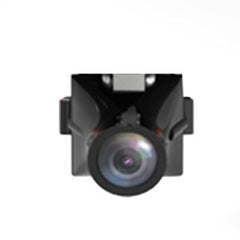
Zum Beispiel verfügen bestimmte YU XIANG RC-Hubschrauber-Modelle über einen Batterieanschluss und eine unterseitige Befestigungsmöglichkeit für Zubehör wie Lichter oder Kameras. Die Verwendung einer Kamera für YU XIANG mit dieser eingebauten Einrichtung vereinfacht die Verkabelung und trägt dazu bei, ein besseres Gleichgewicht zu halten, wodurch Vibrationen im Vergleich zu komplett selbstgebauten Halterungen reduziert werden.
Diese Kamera wurde für mehrere YU XIANG Hubschrauber entwickelt, darunter F09-S, F09-H, F11, F11-S, F07S und F119S, was sie zu einer praktischen Option für Piloten macht, die verschiedene Modelle derselben Marke fliegen.
Befestigungsposition und Balance
Wenn die Kamera zu weit vorne oder hinten montiert wird, wird der Hubschrauber instabil und fast unkontrollierbar. Der beste Platz ist normalerweise der Schwerpunkt (CG), nahe der Hauptrotorwelle. Dies minimiert Veränderungen des Schwerpunkts.

Schritt-für-Schritt: So fügen Sie eine Kamera zu einem RC-Hubschrauber hinzu
Befolgen Sie diese Schritte für eine erfolgreiche und sichere Installation.
Schritt 1: Wählen Sie die richtige Befestigungsmethode
Wählen Sie eine Methode basierend auf dem Gewicht Ihrer Kamera:
- Für leichte Kameras (<30 g): Hochfestes doppelseitiges Schaumstoffband oder ein Klettverschluss funktioniert gut.
- Für schwerere Kameras: Eine speziell 3D-gedruckte Halterung oder eine universelle Kamerahalterung, die mit Nylon-Kabelbindern befestigt wird, ist für einen sicheren Halt erforderlich.
Tipps: Vermeiden Sie Metallhalterungen, es sei denn, das Gewicht ist minimal.
Schritt 2: Kamera befestigen und Vibrationen reduzieren
Vibrationsdämpfung verwenden: Legen Sie Gelpolster oder kleine Vibrationsisolationskugeln zwischen Kamera und Halterung. Dies ist der wichtigste Schritt, um flüssige, verwacklungsfreie Aufnahmen mit Ihrer RC-Hubschrauberkamera zu erhalten.
Alle Kabel sichern: Lose Kabel können sich in den Zahnrädern verfangen. Verwenden Sie Kabelbinder oder selbstklebende Clips.
Schritt 3: Bodentests und kurze Schwebeflüge durchführen
Führen Sie vor dem Hochfliegen Tests in geringer Höhe durch.
- Bodentest: Die Rotoren hochdrehen (ohne abzuheben), um sichtbare Rahmenwackler oder starke Motorgeräusche, die durch das neue Gewicht verursacht werden, zu überprüfen.
- Kurzer Schwebeflug: Führen Sie einen 30-sekündigen Schwebeflug in geringer Höhe in einer ruhigen Umgebung durch. Achten Sie auf ungewöhnliche Motorbelastungen und beobachten Sie die Stabilität.
- Kamerawinkel prüfen: Stellen Sie sicher, dass die Kamera dorthin zeigt, wo Sie sie haben möchten. Passen Sie die Halterung bei Bedarf an.
Was kann schiefgehen?
Warum sieht das Video verwackelt oder unscharf aus?
Die Hauptursache ist die Vibrationsübertragung (der Jello-Effekt), die fast immer durch hochfrequente Vibrationen der Motoren und Rotoren verursacht wird.
Lösung: Überprüfen Sie das Gleichgewicht der Rotorblätter, ziehen Sie die Hauptwelle fest und fügen Sie Dämpfungsmaterial hinzu oder positionieren Sie die Halterung näher am Rahmen neu.
Warum ist die Flugzeit viel kürzer?
Das zusätzliche Gewicht erfordert, dass die Motoren deutlich mehr Strom (Ampere) ziehen, um den Auftrieb aufrechtzuerhalten. Dies reduziert die Batterielebensdauer stark. Erwarten Sie je nach Nutzlast 10–25 % kürzere Flüge.
Kann das Anbringen einer Kamera den Hubschrauber beschädigen?
Unsachgemäße Installation oder Überlastung können dies verursachen. Wenn der Motor ständig überlastet wird (Überschreitung der Nutzlastgrenzen), kann dies zu Motordurchbrennen oder Schäden am elektronischen Geschwindigkeitsregler (ESC) durch Überhitzung führen.
Verfällt die Garantie, wenn eine Kamera hinzugefügt wird?
In fast allen Fällen ja. Jede nicht vom Hersteller vorgenommene Änderung am Flugwerk, an der Elektronik oder am Stromversorgungssystem führt in der Regel zum Erlöschen der Werksgarantie. Fahren Sie nur fort, wenn Sie dieses Risiko akzeptieren.
Sicherheitstipps für das Fliegen eines RC-Hubschraubers mit Kamera
Das Fliegen eines modifizierten Fluggeräts birgt inhärente Risiken. Beachten Sie diese Best Practices:
- In offenen Bereichen fliegen: Halten Sie einen freien, offenen Flugbereich ein, weit entfernt von Personen, Gebäuden und Fahrzeugen.
- Starken Wind vermeiden: Fliegen Sie Ihr Setup mit zusätzlichem Gewicht niemals bei Windgeschwindigkeiten über 5-7 mph. Der reduzierte Leistungsspielraum bedeutet, dass Sie möglicherweise nicht genügend Autorität haben, um einem starken Windstoß entgegenzuwirken.
- Abstand zu Personen halten: Halten Sie stets einen sicheren Abstand zu Personen und öffentlichen Orten ein.
- Halterungen vor jedem Flug überprüfen: Überprüfen Sie immer die Sicherheit aller Befestigungen, Riemen und Dämpfungskugeln. Eine lose Kamera kann zu einem fallenden Projektil werden.
Ist das Anbringen einer Kamera an einem RC-Hubschrauber das Richtige für Sie?
Dieser DIY-Weg ist am besten für erfahrene Piloten geeignet, die:
- einen stabilen, hobbytauglichen Helikopter besitzen.
- mit mechanischen Einstellungen und grundlegender Abstimmung vertraut sind.
- anpassbare 4K/hochauflösende Videos der einfachen Bedienung vorziehen.
Wenn Ihr Hauptziel einfach darin besteht, grundlegendes Luftbildmaterial ohne großen Aufwand zu erhalten, ziehen Sie die zahlreichen Ready-to-Fly FPV-Drohnen in Betracht, die heute auf dem Markt erhältlich sind. Diese sind für das Tragen von Kameras optimiert und bieten oft eine viel bessere Stabilität und Flugzeit zu ähnlichen Kosten.
Fazit
Ihr RC-Helikopter in eine effektive Luftbildplattform zu verwandeln, ist ein lohnendes Projekt, das Präzision, mechanisches Verständnis und sorgfältige Einrichtung erfordert.
Für Bastler, die manuelle Einstellungen und manuelle Flugsteuerung genießen, bietet ein RC-Helikopter mit Kamera ein einzigartiges Erlebnis. Wenn Ihr Hauptziel jedoch reibungsloses Luftbildmaterial mit minimalem Aufbau und Risiko ist, ist eine speziell angefertigte Kameradrohne oft die praktischere Wahl.